
Champion + skin selection
Browse and choose supported cosmetic content from the League workflow.
Personal Skin Manager is an open-source Windows utility for managing League skins, chromas and compatible custom mods.

Browse and manage supported skins, chromas and compatible custom mods from a Windows desktop workflow built around the League client.
PSM keeps its core desktop workflow visible, from skin selection to compatible custom content, utilities and local configuration.

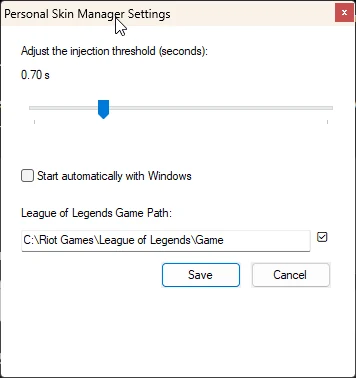
Browse and choose supported cosmetic content from the League workflow.
Access compatible custom mods, logs, troubleshooting, and maintained utility controls.
Configure local application behavior, startup preference, and League installation path.
Browse and manage supported cosmetic content from one focused desktop workflow.
Choose supported chromas and variants where the maintained application provides them.
Manage compatible custom content without turning PSM into a marketplace.
Use the maintained client and runtime integration already present in PSM.
Keep compatibility-oriented settings and local application data on the machine.
Verify the stable update manifest and installer integrity before installation.
Six steps covering the PSM installer and the external CSLOL DLL required by the current runtime.
Personal Skin Manager is not a fully self-contained install. PSM does not bundle, mirror, or redistribute cslol-dll.dll; the current runtime checks for that file before startup. Obtain the DLL directly from the official League Toolkit repository and keep PSM's integrity check enabled.
Open the Personal Skin Manager v1.0.1 GitHub Release and select PersonalSkinManager_Setup.exe under Assets.
View v1.0.1 release ↗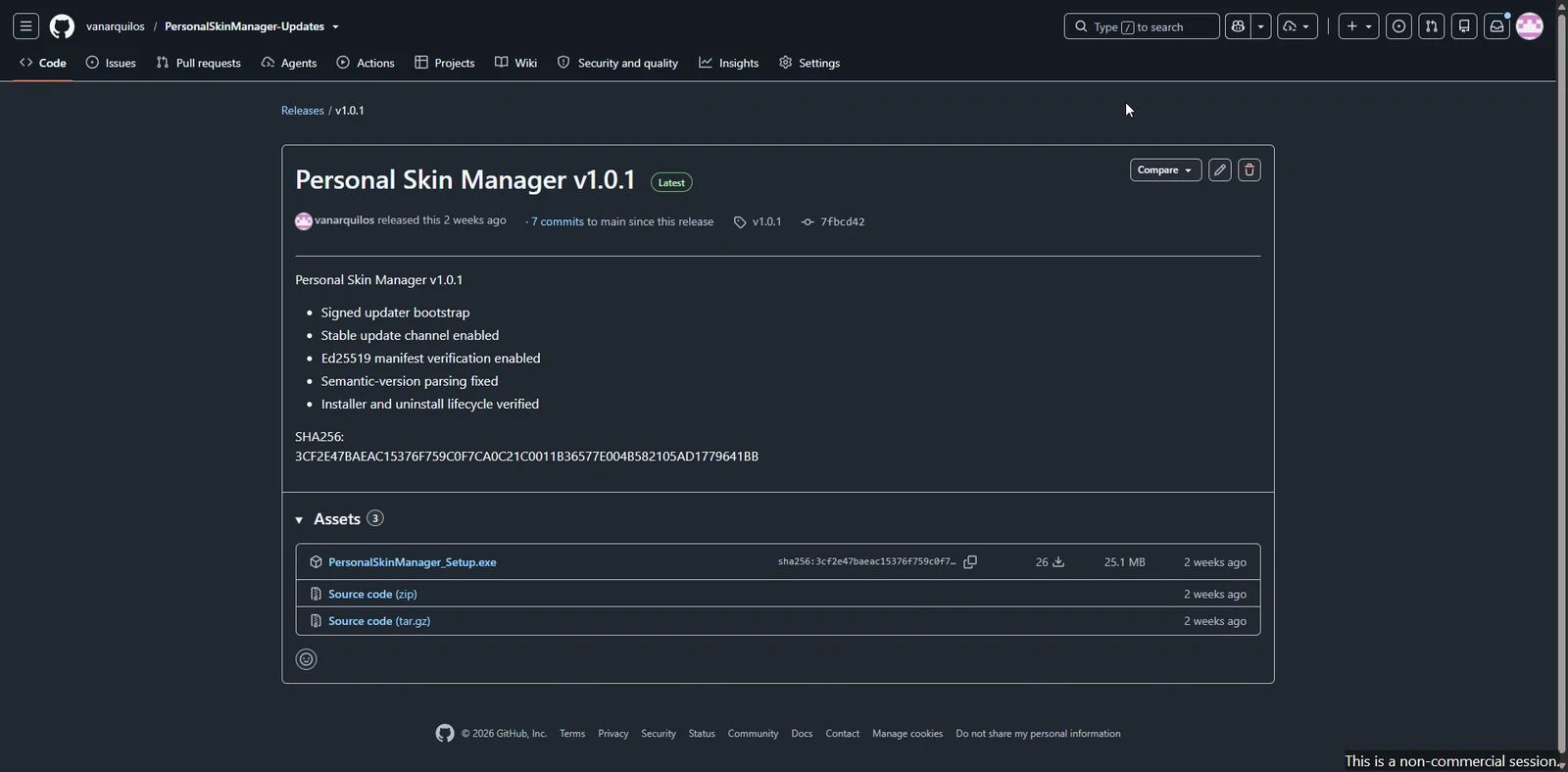
Run the installer and choose whether you want a desktop shortcut.
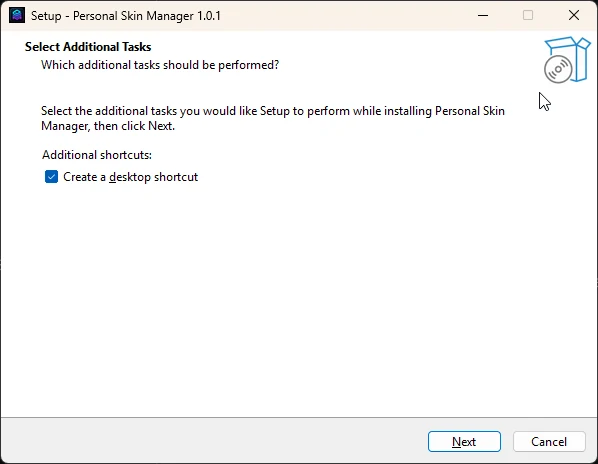
Review the setup options and select Install.
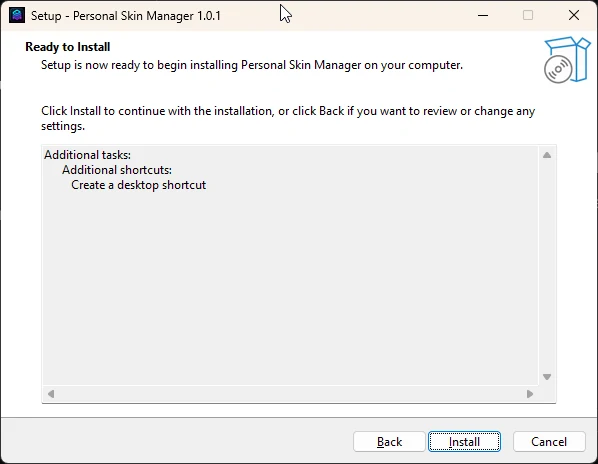
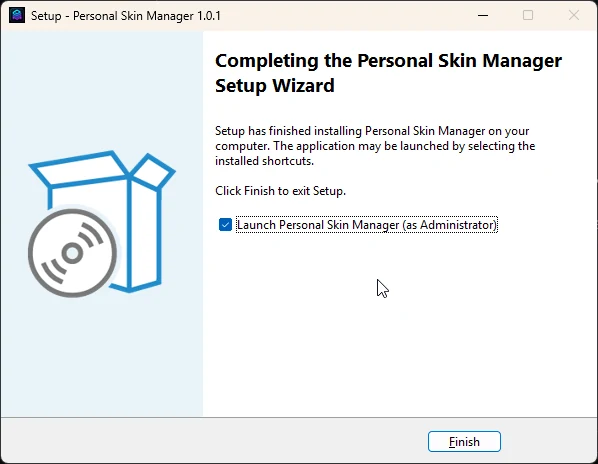
When setup completes, leave Launch Personal Skin Manager enabled and select Finish. PSM will perform its startup dependency check.
PSM v1.0.1 requires cslol-dll.dll at runtime, but the DLL is not bundled with the installer. Use the official League Toolkit file page and PSM's own Open tools folder action to complete this dependency setup.
Launch PSM after installation. If the startup check reports the DLL is missing, choose Open tools folder.
Open the official League Toolkit DLL file page and use GitHub's download control to save cslol-dll.dll.
Copy cslol-dll.dll into the exact tools folder PSM opened for you.
Restart PSM. If PSM reports the DLL is invalid or outdated, do not bypass the integrity check; use a supported upstream DLL.
After PSM starts successfully, open League and use PSM to browse and apply supported cosmetic content.
The maintained application source, release artifacts, update verification and third-party attribution are inspectable through the canonical GitHub repository.
Inspect source ↗3CF2E47BAEAC15376F759C0F7CA0C21C0011B36577E004B582105AD1779641BBPersonal Skin Manager is an open-source Windows skin-management application for League of Legends. The maintained project covers League/LCU integration, supported skins and chromas, compatible custom mods, supported forms and variants, local settings and the existing runtime/content workflow.
No. Personal Skin Manager is an independent community project and is not affiliated with, sponsored by, or endorsed by Riot Games.
Yes. The maintained public source is available on GitHub. PSM is derived from the open-source Rose project by Alban and Florent, and the project preserves upstream and third-party attribution rather than presenting inherited work as original PSM authorship.
The maintained project includes supported skin and chroma workflows, compatible custom mods, supported variants/forms, League/LCU integration, Pengu Loader integration, CSLOL/mod tooling, game monitoring, content synchronization, game-data checks, local settings and logs. Compatibility still depends on the current League patch and the individual content package.
No. PSM does not make “100% safe,” “undetectable,” or “no ban” claims. Third-party tooling, League updates, Riot policies and anti-cheat behavior can change. Use PSM at your own discretion and review the current project information before using custom content.
No. The project explicitly does not add or improve anti-cheat bypass or evasion, stealth, process concealment, driver-based circumvention, security-control disabling, or tampering with third-party enforcement controls.
No. Compatibility can change after League updates and can vary by individual package. PSM does not claim universal compatibility, support for every cosmetic, or guaranteed behavior on every patch.
The official installer is distributed through the PersonalSkinManager-Updates GitHub Releases page. This website links to the canonical release page instead of hosting a second copy of the installer.
The stable updater fetches the published manifest over HTTPS, verifies its Ed25519 signature, validates version information, checks the installer SHA-256 and exact package size, and defers installation while League is running. The private signing key stays outside source control.
No. PSM v1.0.1 requires cslol-dll.dll at runtime, but Personal Skin Manager does not bundle, mirror, or redistribute that file. On first launch, if the DLL is missing, PSM can open the exact tools folder where it belongs. Obtain the DLL directly from the official League Toolkit repository, place it in the folder PSM opens, then restart PSM. PSM validates the DLL before startup; do not disable or bypass that integrity check.
Use the public GitHub issue tracker for normal bugs and include the affected PSM version, Windows version, reproduction steps, expected versus actual behavior, and sanitized logs when useful. Do not post passwords, tokens, private keys, signing material, or sensitive local files. Sensitive vulnerabilities should follow the project security policy.
Yes. Public development and contributions use the maintained PersonalSkinManager-Updates repository. Contributions should stay compatibility-first, preserve licensing and provenance boundaries, avoid private/signing material, and run the relevant checks for the area changed.
VAN MICHAEL GESTIADA
Personal Skin Manager is maintained by Van Michael Gestiada. PSM is derived from the open-source Rose project by Alban and Florent, with upstream and third-party attribution preserved in the public repository.